You can use the Smart Find feature to search for duplicate entries in either your Products or Customers area of the main CheckIn window.
Open the smart find window and choose the field you want to search for duplicates on such as Description for Products; and Contact or Email for Customers.
Leave Keyword blank, then enter an exclamation point in the Value field.
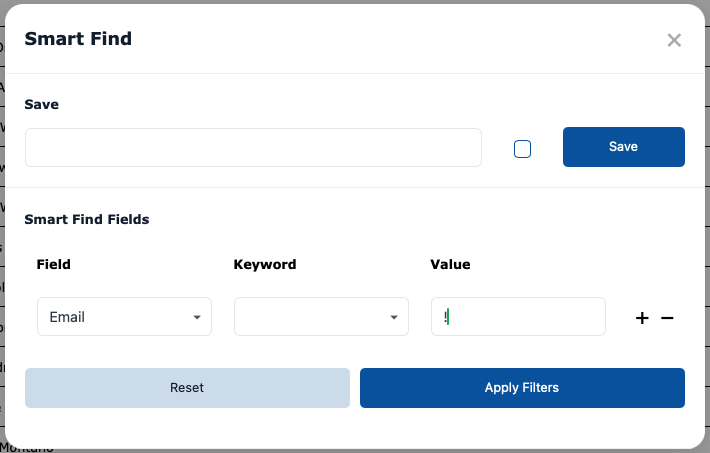
You will end up with a list of all your records that are duplicates. You can then do what you need to with the extra record.